
Make a recording
Pair the ring, tap Record now, and wear it. To finish, hold the power button for 3 seconds until it flashes red 3 times.
- TechRing
1. Pair the ring
Press the power button on the TechRing, open the FirmTech app and tap Pair. Then put the ring on.
2. Start recording
Tap Record now at the bottom of the screen.
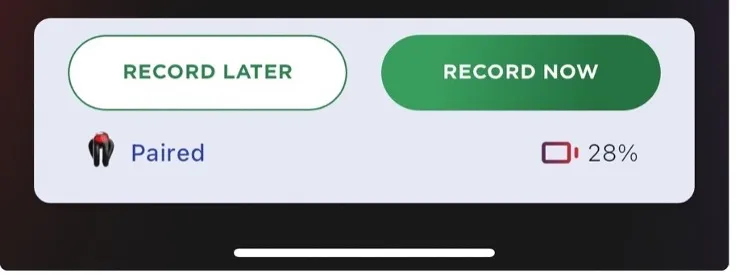
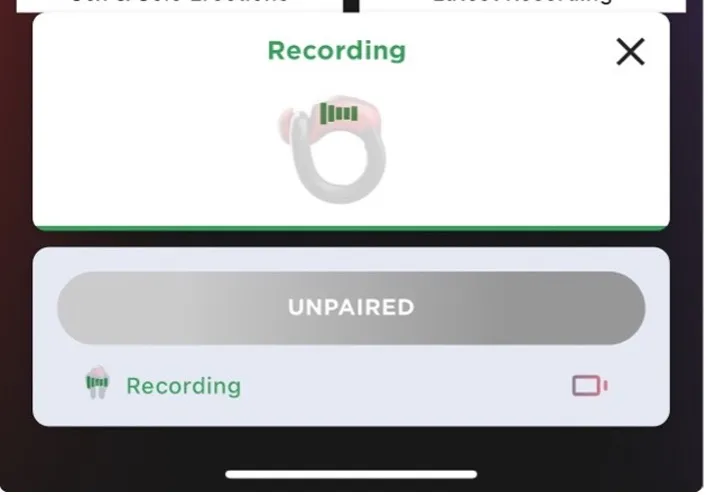
The ring flashes green 10 times. The app says the recording has started and that the ring is unpaired. That’s normal: the ring stops talking to your phone while it records, so there’s no Bluetooth signal during your session. It’s still recording.
3. End the recording
Hold the power button for 3 seconds, until the light flashes red 3 times. The ring has to be turned off to end a recording.
Then upload it.
Tips
- Wear it for 10–15 minutes before the part you want measured, so the sensors can settle.
- For an 8-hour recording, start with at least 60–70% battery.
- You can record sex and sleep in the same recording. See sex, overnight or both.
Was this helpful?
Thanks for letting us know.
Sorry about that. Tell us what was missing and we will help. Contact us