
How to charge the TechRing
Wrap the ring clockwise around the charger, following the logo on top. It blinks red while charging and turns green when full.
- TechRing
- Wrap the TechRing around the charger clockwise, following the faint logo on top of the charger.
- The light on the ring starts pulsing red. That means it’s charging.
- When it’s full, the light turns solid green.
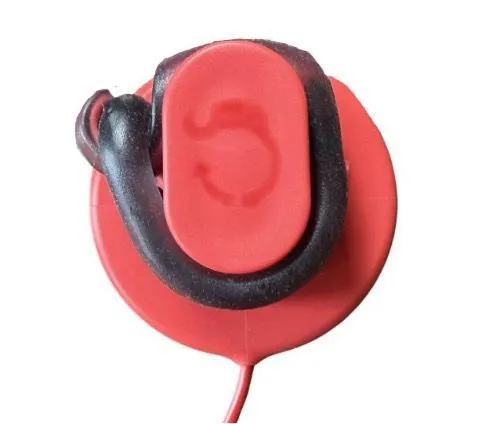
The TechRing arrives partly charged, so charge it fully before your first recording.
Checking the battery level
Pair the ring with the app. The battery level shows in the lower right corner, with a lightning bolt while it charges, and you’ll see the percentage go up.
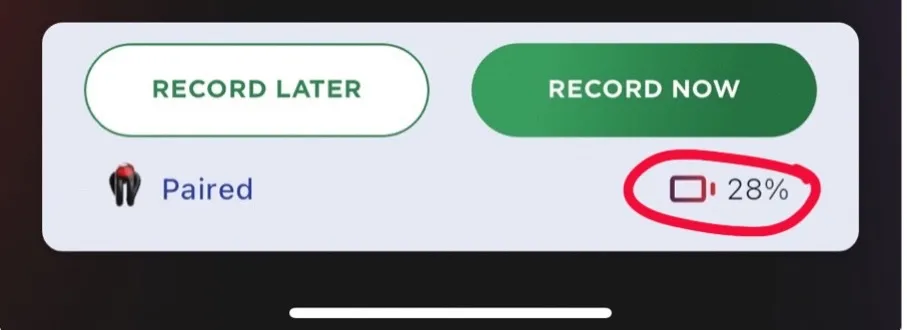
An 8-hour overnight recording needs 60–70% battery. A full charge is best.
Light not coming on? See the TechRing isn’t charging.
Was this helpful?
Thanks for letting us know.
Sorry about that. Tell us what was missing and we will help. Contact us