
The complete TechRing guide
Everything in one place: charging, the lights, putting it on, recording, uploading, categorizing, care and safety.
- TechRing
Before you start
- Get the app. Download the FirmTech app from the App Store or Google Play, and create an account in the app. It’s separate from your account on this website.
- Charge the ring fully. The TechRing arrives partly charged. Wrap it around the charger in the direction shown on top of the charger. The light blinks red while it charges and turns solid green when it’s full. More in how to charge the TechRing.
Your recordings are anonymized. They’re never shared with anyone unless you ask us to share them with your doctor, or you ask our team for technical help.
How the TechRing works
You can wear the TechRing during sex, partnered or solo, and overnight to track nighttime erections. You can record them separately or in the same recording.
To keep Bluetooth off your body, the TechRing doesn’t talk to the app while it’s recording. It stores the data and uploads it when you pair it again afterwards.
For an 8-hour recording you need 60–70% battery. A full charge is best. The battery level shows in the lower right corner of the app when the ring is paired.
What the lights mean
| Light | Meaning |
|---|---|
| Flashing blue | On, not paired with your phone |
| Solid blue | On and paired with your phone |
| Pulsing red | Off the charger: low battery. On the charger: charging |
| Red flashes after holding the button | Turning off. This also ends a recording |
| Solid green | On the charger and fully charged |
| Flashing green (10 times) | Recording has started. One press of the button during a recording also flashes green |
Putting it on
Put it on soft or hard. One loop goes behind the testicles and the other around the base of the penis. Wear it for 10–15 minutes before the recording matters: the sensors, especially the pressure sensor in the hook, need a little time to settle. See how to put on your ring for the video.
Recording
- Pair. Press the power button (the light turns blue), open the FirmTech app and tap Pair (or Pair TechRing).
- Start. Tap Record now at the bottom of the screen. The ring flashes green 10 times and the app says the recording has started and the ring is unpaired. That’s expected: there’s no Bluetooth during a recording.
- End. Hold the power button for 3 seconds, until the light flashes red 3 times. You have to turn the ring off to end the recording.

Uploading
- Turn the ring back on and tap Pair in the app. The upload starts on its own, with a blue progress bar.
- Answer the optional questions about medication, alcohol and other substances, and add notes if you like.
- You’re taken back to the Erectile Stats page, which refreshes with the new recording after a few seconds.
Watch it in upload a recording.
Categorizing your erections
When the recording has been processed, the home screen shows Classify at the top. Tap it and choose a category for each detected erection: sex, solo, sleep, morning, false or unknown. Your statistics only appear once the erections are categorized. When they all are, Classify changes to Classified.
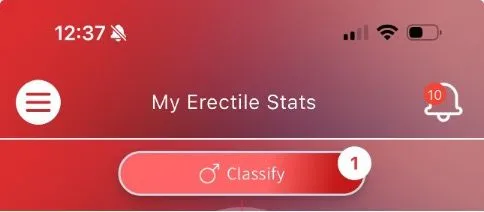
See categorize your erections for the video.
Short recordings
After you start a recording, the app shows “Recording in progress”. If you take the ring off after a short recording, the message stays. Ignore it: turn the ring off, turn it on again, and pair it to upload as usual.
Deleting a recording
In the list of recordings, press and hold the one you want to delete. See delete a recording.
Warranty
Please check your TechRing when it arrives. It has a 1-year warranty against defects in materials and workmanship. The warranty doesn’t cover normal wear and tear, or the rechargeable battery’s capacity going down over time. See warranty.
Care and cleaning
Wash it with water and a mild soap that has no natural oils. It’s splash-proof, not waterproof. Use water-based or silicone-based lubricants without natural oils: oils damage the ring. More in cleaning your ring.
Who should not use it
Read safety: who should not use the rings before first use.
Regulatory
This device complies with Part 15 of the FCC rules. Operation is subject to these conditions: the device does not cause harmful interference; it must accept any interference received, including interference that may cause undesired operation; and it has been evaluated to meet general RF exposure requirements, so it can be used in portable exposure conditions without restriction.
Was this helpful?
Thanks for letting us know.
Sorry about that. Tell us what was missing and we will help. Contact us